
Feature guide · 2026
A Garden Design App With Seasonal Views, Explained
A garden that only looks good in June is one of the most common and avoidable design mistakes. This guide explains how a garden design app can show the same scheme across spring, summer, autumn and winter, why that catches problems before they get planted, and what it does and does not tell you about ongoing seasonal care.
AI Garden Design GuidesPublished August 22, 2026Updated August 22, 20267 min read
The one-line answer
This is different from a reminders app or a task calendar. It shows you the season, rather than telling you what to do in it.
Why almost every garden photo you have seen is misleading
Garden photography — in magazines, on Pinterest, in most inspiration you scroll through — is almost always taken in the three or four best weeks of the year, usually late spring to early summer, when everything is in flower at once. That is a real garden at its absolute peak, not a representative sample.
A design chosen purely from that kind of photo risks looking spectacular for a few weeks and disappointing for the other ten months. It is one of the most common and most avoidable mistakes in garden planning.
What a seasonal visualiser actually shows
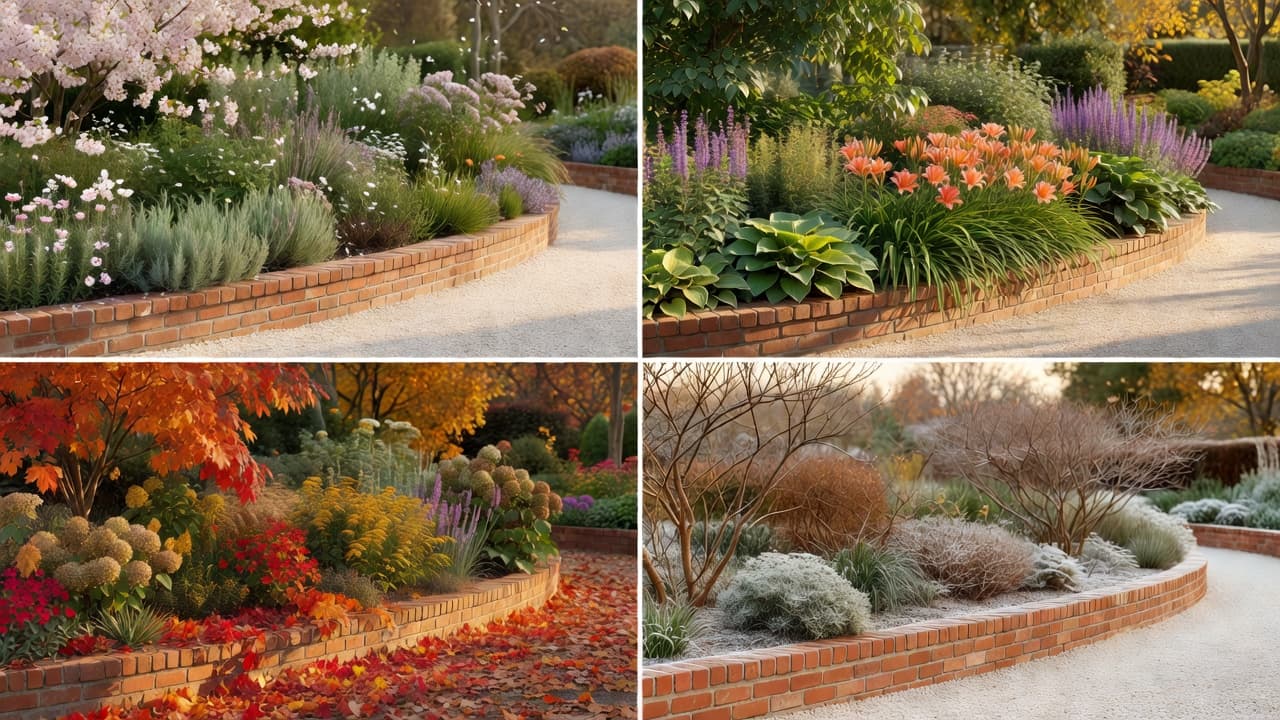
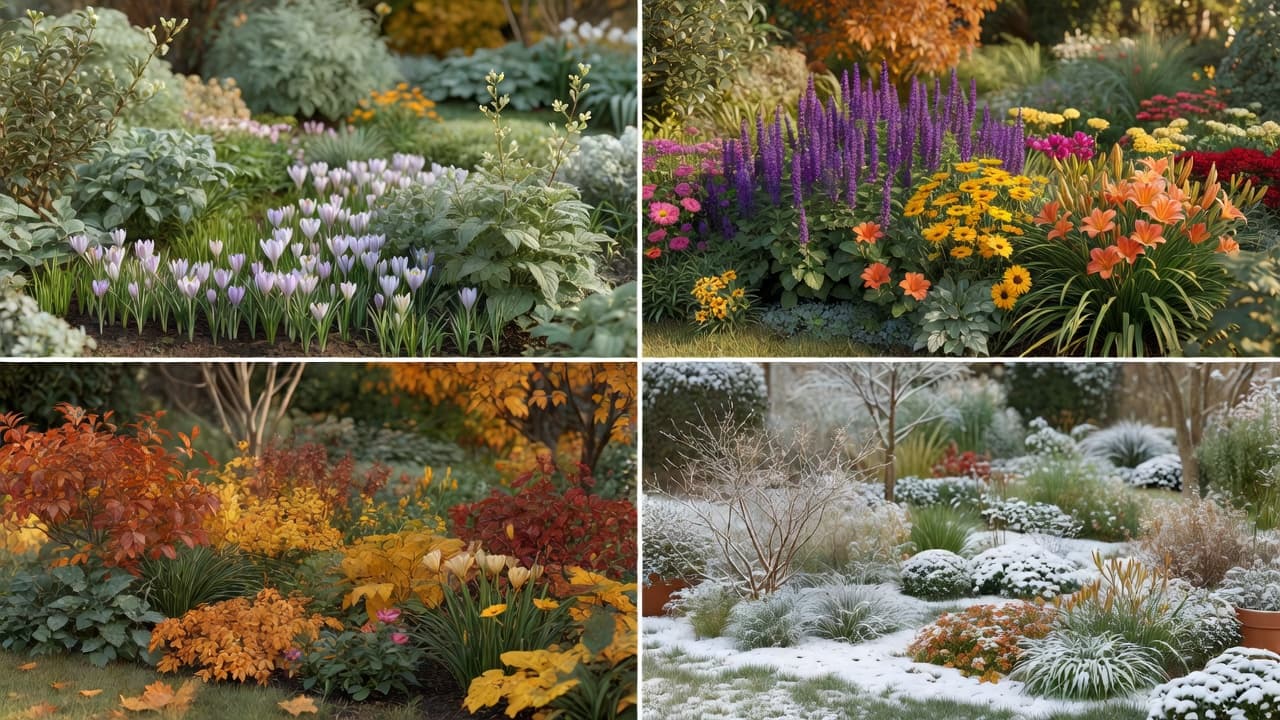
- Spring — early growth, blossom, and how bare a new scheme still looks before it fills in.
- Summer — full planting, the garden at its most complete.
- Autumn — seed heads, foliage colour, and the point where deciduous structure starts to show.
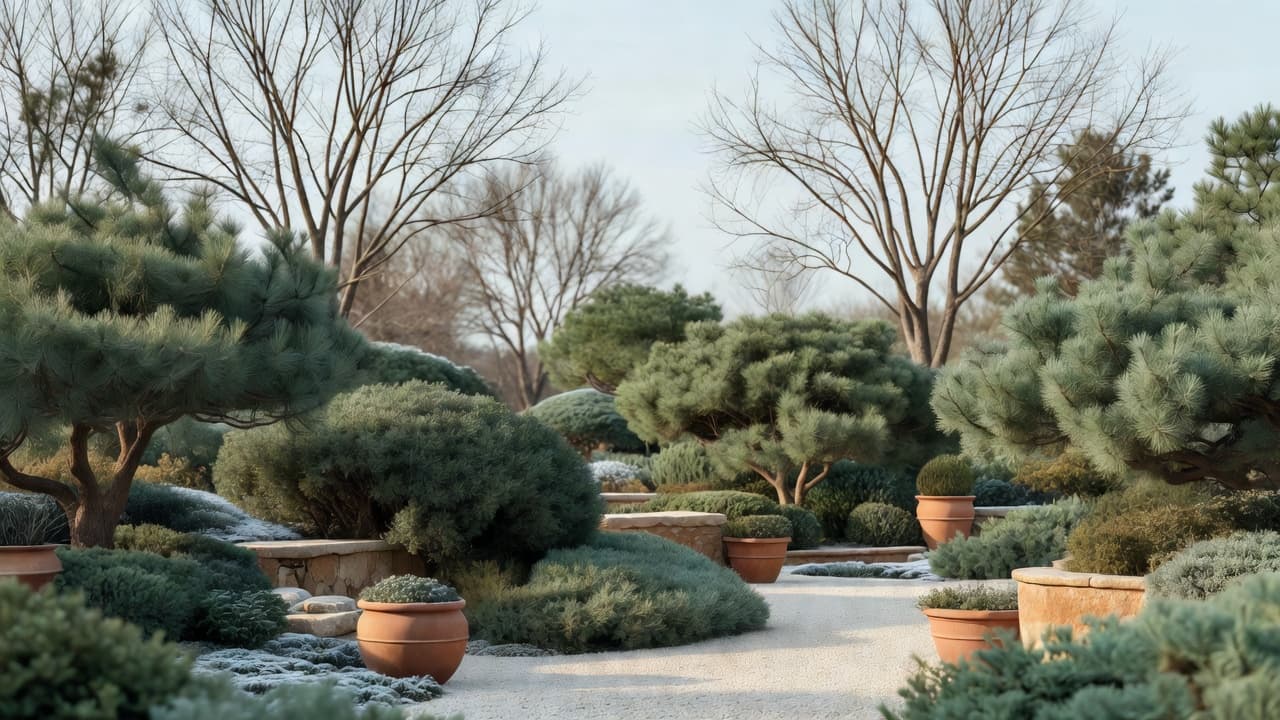
- Winter — what remains once the herbaceous planting has died back: evergreen structure, bark, and shape.
FlorAI's seasonal visualiser generates all four from the same design, so you can compare them directly rather than imagining the gap between what you are looking at and what the garden will actually look like in February.
The mistake this catches most often
The single biggest problem a seasonal view exposes is a design with no winter structure — a scheme that is entirely herbaceous perennials and dies back to bare soil for four or five months. Seeing that plainly, before anything is planted, is far cheaper than discovering it the following January.
The fix is usually straightforward: evergreen shrubs, structural hedging, trees with interesting bark or shape, and hardscaping that carries its own visual weight regardless of season. A garden with that backbone in place still looks intentional in the dead of winter, and better than intentional once everything is back in leaf.
How to use seasonal views while designing
- Generate the design first, in your chosen style, from a photo of the real space.
- Check the winter view specifically — it is the one people skip, and the one that matters most.
- Look for structure that survives all four seasons — evergreen planting, defined paths, hard landscaping.
- Adjust before committing — it costs nothing to regenerate a scheme that looked bare in winter.
Used this way, seasonal views are less about admiring the garden and more about stress-testing the design before you spend money on it.
What this does not replace
Worth being clear about the limits. This is a visualisation tool, not a maintenance calendar — it will not remind you when to prune, mulch or divide perennials. For that, a physical or digital gardening calendar tied to your specific plants and region is still the right tool.
It also will not replace species-specific knowledge about bloom timing or hardiness in your exact conditions. Cross-check anything important against a reference like the RHS, and see our guide on AI plant selection for climate zones for more on getting planting choices right for where you live.
Frequently asked questions
Does FlorAI show a garden design across all four seasons?
Yes — the seasonal visualiser is a Pro feature that renders the same design across spring, summer, autumn and winter.
Is a seasonal view the same as a gardening reminder or task list?
No. It is a visualisation of how a design looks across the year, not a calendar of tasks like pruning or feeding.
Why does the winter view matter most?
It is the season most schemes fail in, because it is the one most rarely photographed or planned for. Checking it catches a lack of structure before anything is planted.
Is this feature free or paid?
Seasonal views are part of FlorAI Pro. See the pricing page for the full breakdown against the free tier.
Can I still get seasonal gardening advice, like when to prune?
The seasonal visualiser shows appearance, not task timing. For pruning and maintenance schedules, a dedicated gardening calendar for your specific plants and region is the better tool.
Does the design account for real bloom times in my area?
It generates a plausible seasonal representation based on your style and general location. For precise bloom timing of specific species, check a reference like the RHS.
Last updated: August 2026. Written by the FlorAI garden team.